Online Quiz by The Quiz Labs

QuizMeet V2

13 June 2026
8:00 PM IST
Google Meet
Scroll for More Details!

The Ultimate Setup

For the best experience, we strongly recommend using two devices.

Device 1: Google Meet

Join the session here to view the questions presented live, listen to the quizmaster, and interact with the room.

meet.google.com/ibb-vfqr-bjg

Device 2: Answer Portal

Open our live answering platform to lock in your answers in real-time as the questions appear on the Meet.

live.thequizlabs.com
Pro Tip: Join the Google Meet from your phone, and keep your laptop/PC ready to answer. Or do it the other way around. More details will be shared during the session.

Meet Your Quizmaster

Mr. Chandrakant Kudchadker

Your quizmaster for today is Mr. Chandrakant Kudchadker. He is an electrical engineer, a quiz enthusiast and has participated and hosted various quiz competitions since his school days.

Follow on Instagram

What You Need

  • A stable internet connection.
  • Two devices (e.g., Phone + Laptop).
  • A Google account to access the Meet link.
  • Fast fingers to lock in your answers first.

Why Two Devices?

  • No screen-switching: Switching tabs between the video feed and answering portal can be slow and distracting.
  • Faster reflexes: Have your answering screen always open and ready for speed-based questions.
  • Immersive experience: Watch the live action on a bigger screen while controlling your gameplay.

How It Works

01

Go to the Live Portal

On your second device, open your browser and navigate to live.thequizlabs.com to get started. You'll see our home screen waiting for you.
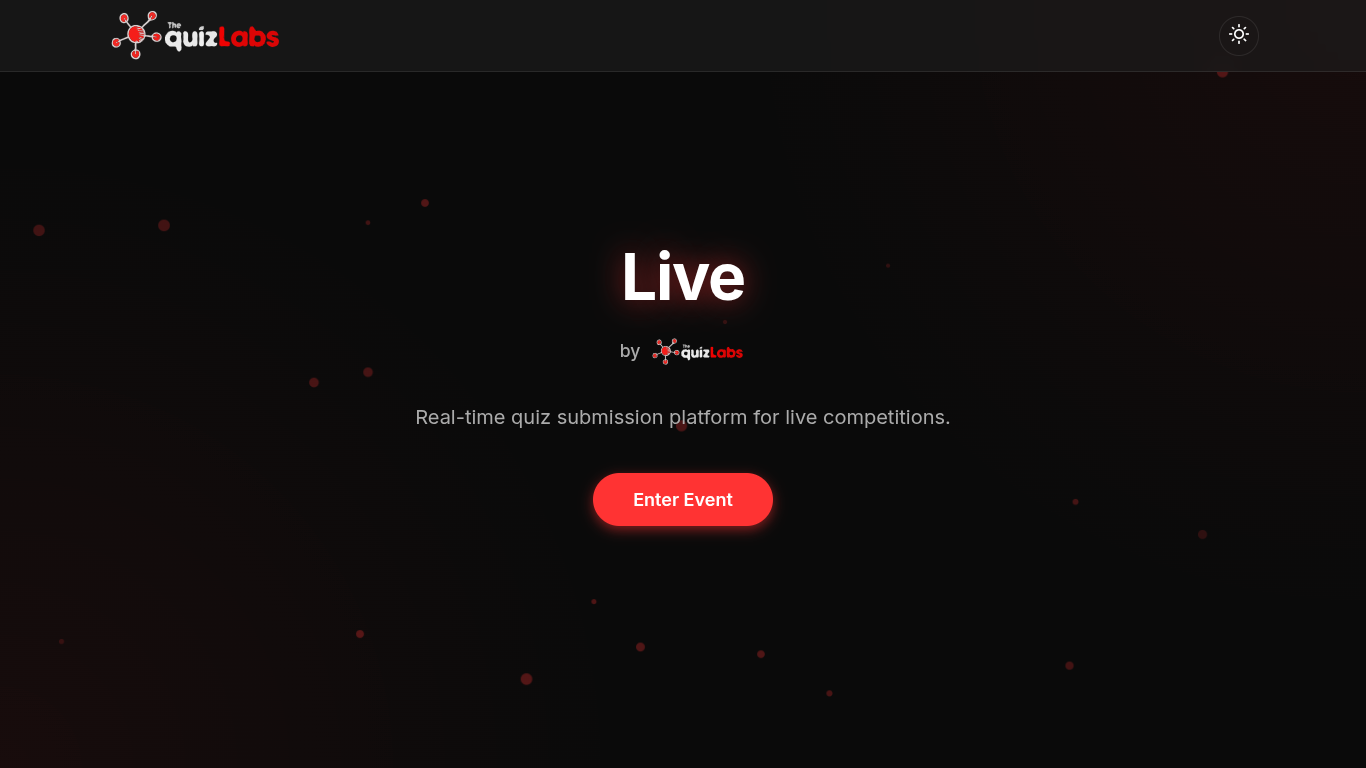
TQL Live Home Page
02

Enter Your Details

Log in by entering your name and phone number. This is how we keep track of your scores and identify our champions.
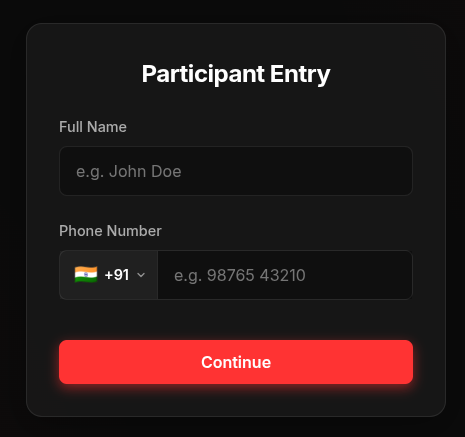
Login Page
03

Join the Event

Once logged in, enter the specific event details provided by the quizmaster on the Google Meet stream to enter the QuizMeet arena.
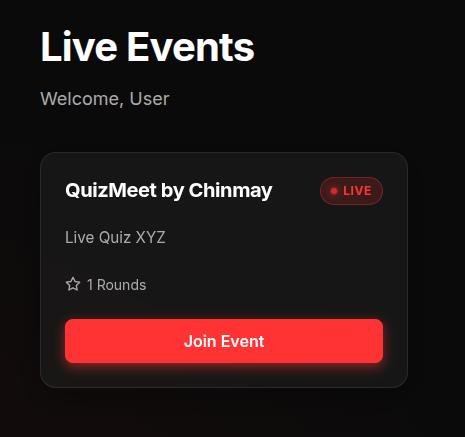
Event Entry Page
04

Answer Live

As questions are displayed on the Google Meet, you will need to type your answer and submit it on your device. There are no options to select from, so be quick!
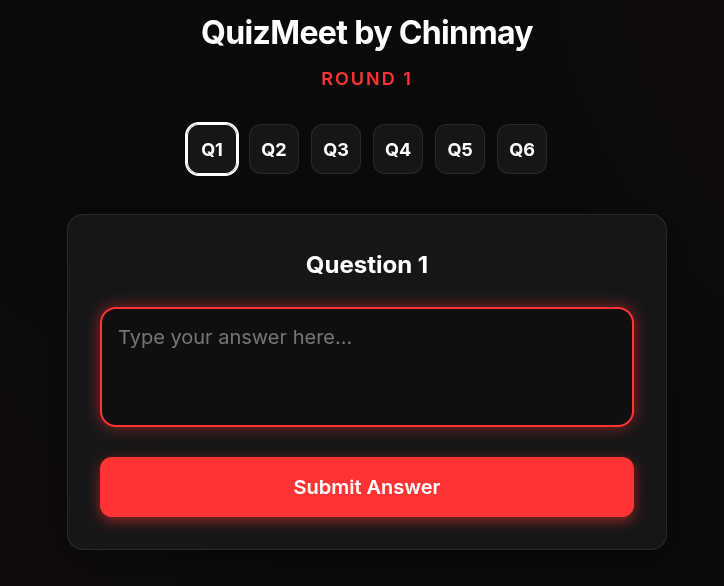
Live Answering Interface